
Download ModaMind – AI‑Powered Fashion Design Software for Creatives
Introduction: Why AI Is Transforming Fashion Design
In the fast‑moving world of fashion, designers constantly juggle creativity, trend forecasting, and production constraints. Traditional sketch‑first workflows, while artistic, often become bottlenecks when multiple collections must be generated in tight seasonal windows. That’s where artificial intelligence steps in as a strategic ally.
By interpreting natural‑language prompts, analyzing visual references, and learning a brand’s unique language, AI can propose garment concepts at a speed that outpaces manual brainstorming. ModaMind embraces this paradigm shift, offering a cloud‑native studio that merges cutting‑edge machine‑learning with an intuitive visual editor. The platform is built for anyone who wants to accelerate the ideation phase without compromising originality—whether you are a seasoned couture house, an emerging street‑wear label, or a freelance pattern maker looking to expand your service offering.
Beyond speed, ModaMind’s AI engine continuously scans runway reports, social‑media buzz, and consumer purchasing data, ensuring that every suggestion aligns with current market demand. This blend of creativity and data‑driven insight helps designers reduce sample waste, lower development costs, and bring collections to market faster. In the sections that follow, we’ll explore the product’s core capabilities, walk through the simple setup process, weigh the advantages and limitations, and answer the most common questions designers have before committing to an AI‑enhanced workflow.
Product Overview
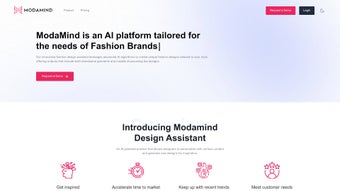
ModaMind is a revolutionary AI platform built specifically for fashion designers who want to accelerate their creative workflow without sacrificing originality. By combining natural‑language prompts, image‑based inputs, and a custom visual studio, the web‑based app generates endless garment concepts that are instantly visualized on virtual models. The subscription‑based service not only suggests fresh silhouettes, color palettes, and fabric combinations, but also learns a brand’s unique aesthetic when designers train their own AI models.
This continuous learning loop ensures every output stays aligned with current runway trends while reflecting the designer’s personal style language. Whether you are a seasoned couturier, an emerging street‑wear label, or a freelance pattern maker, ModaMind acts as a 24/7 design assistant that helps you explore variations, test market appeal, and iterate faster than traditional sketch‑first approaches. The platform’s seamless cloud architecture eliminates the need for heavy local hardware, delivering secure, real‑time updates across any browser.
In a highly competitive fashion ecosystem, the ability to generate and preview multiple design directions within minutes can be the difference between a collection that sells out and one that stalls on the showroom floor. ModaMind therefore positions itself as a critical tool for designers seeking to stay ahead of trends, reduce sample waste, and ultimately boost both creativity and profitability. The intuitive interface, combined with powerful AI, makes it possible for teams of any size to collaborate on ideas instantly, turning inspiration into production‑ready assets in a fraction of the time.
Key Features of ModaMind
- AI‑Driven Design Generation: Input a brief, mood board, or reference image and receive instant garment concepts ranging from silhouettes to complete outfits.
- Style Personalization Engine: The system learns your brand’s DNA after a few training cycles, ensuring each suggestion matches your signature aesthetic.
- Virtual Model Showcase: Designs are rendered on high‑resolution, customizable models that reflect diverse body types, allowing realistic fit assessment.
- Trend‑Analysis Module: Continuous scanning of runway reports, social media buzz, and consumer data keeps the AI’s suggestions fresh and market‑relevant.
- Custom Visual Studio: Drag‑and‑drop tools let you fine‑tune AI outputs, edit fabrics, adjust drape, and experiment with colorways without leaving the browser.
- Collaboration Workspace: Teams can comment, approve, or reject concepts in real time, streamlining communication between designers, pattern makers, and merchandisers.
- Export Ready Files: Export flat sketches, technical packs, or 3‑D files directly to industry‑standard formats such as .AI, .OBJ, and .PDF.
- Secure Cloud Infrastructure: All data is encrypted at rest and in transit, meeting GDPR and CCPA compliance for fashion houses handling sensitive design IP.
- Scalable Subscription Plans: From solo freelancers to enterprise studios, plans include tiered AI model training credits, storage, and priority support.
- Continuous Updates: Monthly algorithm enhancements are delivered automatically, ensuring you always work with the latest AI capabilities.
The feature set creates a comprehensive design ecosystem that reduces manual sketching time by up to 70 %, cuts sample‑making costs, and empowers designers to iterate faster. By integrating trend intelligence directly into the creative loop, ModaMind helps users anticipate consumer demand before it hits the shelves. The platform’s flexibility also means it can be used for apparel, accessories, footwear, and even avant‑garde costume design, making it a versatile addition to any fashion‑tech stack.
Additionally, the AI engine is built on a modular architecture, allowing future expansion into areas such as sustainable material recommendation and automated size grading. For studios focused on sustainability, this opens the door to data‑driven decisions that minimize waste while preserving design integrity. Overall, the combination of real‑time collaboration, secure cloud storage, and a powerful personalization engine sets ModaMind apart from generic design generators and positions it as a strategic asset for forward‑thinking fashion houses.
Installation, Usage & Compatibility
ModaMind is delivered as a cloud‑native web application, which means there is no traditional “download” or installation process on a local machine. To get started, simply visit the official website, create an account, and select a subscription tier that matches your workflow needs. After confirming your email, you will be directed to the dashboard where the AI studio loads in under a few seconds. Because the platform runs entirely in the browser, it is compatible with any modern operating system that supports Chrome, Edge, Safari, or Firefox (version 90+). For designers who prefer a desktop‑like experience, ModaMind also offers a progressive web app (PWA) that can be “installed” on Windows, macOS, iOS, or Android with a single click, granting offline caching of UI assets while still requiring an internet connection for AI processing.
Step‑by‑Step Setup
- Account Creation: Navigate to ModaMind.com, click “Sign Up,” and fill in your professional details. You can link your Google or Adobe ID for single‑sign‑on convenience.
- Choose a Plan: Select from “Solo,” “Studio,” or “Enterprise.” Each plan includes a set number of AI generation credits per month and storage space for design assets.
- Verify & Activate: Confirm your email, then add a payment method. The system will automatically apply any promotional discounts.
- Access the Visual Studio: Once logged in, click “Start New Project.” You’ll be greeted by a clean canvas where you can type prompts (e.g., “modern streetwear jacket with reflective panels”) or upload reference images.
- Generate & Refine: Hit “Generate.” The AI returns 3‑5 design variations within seconds. Use the side panel to tweak fabrics, colors, and silhouettes. Save your favorites to the “Library” for later export.
- Export & Share: Click “Export,” choose the desired file format, and optionally send a shareable link to collaborators or manufacturers.
System Requirements & Compatibility
ModaMind is optimized for the following environments:
- Desktop: Windows 10/11 (64‑bit), macOS 12+ (Monterey and later), Linux distributions with modern browsers.
- Mobile: iOS 14+ (iPhone & iPad) and Android 9+ (with Chrome or Edge).
- Browser: Chrome 90+, Microsoft Edge 90+, Safari 14+, Firefox 90+.
The platform leverages WebGL for 3‑D model rendering, so a GPU‑accelerated browser is recommended for the smoothest experience. Low‑end devices will still function, but rendering may be slower. Because all heavy AI computation occurs on ModaMind’s cloud servers, local hardware constraints have minimal impact on generation speed. Users also benefit from automatic security patches and performance optimizations delivered through the cloud, meaning you always work with the most up‑to‑date version without manual updates.
Pros and Cons – Expert Review
Pros
- Instant, high‑quality design concepts reduce creative bottlenecks.
- Custom AI model training aligns outputs with brand identity.
- Browser‑based, no heavy local installations required.
- Real‑time collaboration tools streamline team workflows.
- Secure cloud storage protects intellectual property.
- Continuous trend analysis keeps designs market‑relevant.
- Export options cover most industry‑standard file types.
- Scalable subscription plans for freelancers to large studios.
- Regular algorithm updates improve output fidelity over time.
- Integrated virtual model library showcases garments realistically.
Cons
- Requires a stable internet connection; offline usage is limited to UI caching.
- AI generation credits can be exhausted quickly for high‑volume studios.
- Learning curve for designers unfamiliar with prompt engineering.
- Advanced custom model training is only available on higher‑tier plans.
- Some complex textile simulations (e.g., fluid drape) are still simplified.
FAQ & Final Thoughts
Is ModaMind suitable for beginners with no AI experience?
Yes. The platform offers guided prompts, template libraries, and a visual studio that let newcomers generate designs with just a few clicks. While advanced users can fine‑tune AI models, beginners can rely on the default engine and still achieve professional‑grade results.
How secure is my design data on ModaMind?
ModaMind uses AES‑256 encryption for data at rest and TLS 1.3 for data in transit. The service complies with GDPR, CCPA, and ISO 27001 standards, ensuring that proprietary sketches and AI models remain confidential.
Can I integrate ModaMind with existing PLM or CAD tools?
Exported files can be imported into most PLM, CAD, and 3‑D modeling software (e.g., CLO, Gerber, Adobe Illustrator). While a native plugin is in development, current file‑format support (AI, OBJ, PDF) covers the majority of industry workflows.
What happens if I exceed my monthly AI credit limit?
When credits run out, the platform prompts you to purchase additional credit packs or upgrade your subscription. This pay‑as‑you‑go model ensures you never lose access to the core design studio.
Is there a free trial available?
ModaMind offers a 14‑day free trial with limited AI credits and access to all core features. This allows designers to evaluate the platform before committing to a paid plan.
In summary, ModaMind stands out as a powerful, cloud‑based assistant that bridges the gap between creative inspiration and production‑ready designs. Its AI engine, trend‑aware suggestions, and collaborative workspace make it a must‑have for any fashion professional aiming to stay competitive in a fast‑moving market. By removing repetitive sketching tasks and offering instant visual feedback, the platform frees up valuable time for designers to focus on storytelling, material innovation, and brand differentiation. If you’re ready to accelerate your design cycle, reduce sample waste, and explore limitless style variations, now is the perfect moment to give ModaMind a try. Click the button below to start your free trial and experience the future of fashion design today.



.png)



